Site Path
Payment Guideline
You can pay using the following procedure
[1] At first click on Student menu
[2] Student Log In screen will appear
[3] Enter student id and birth date in DD-MMM-YYYY format (eg. 01-Jan-2000) and
press Log In
[4] After successful Log In you will get the following payment page:
[5] To pay tution fee click on check box of related month sequentially and click
'Pay Now' button.
[6] Then the following page will open to confirm your payable amount:
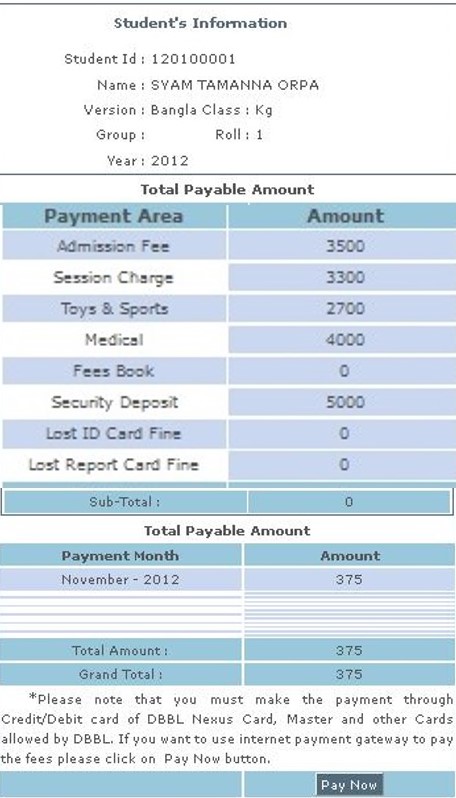
[7] Click on paynow button to pay the bill:
[8] For successful transaction you will get the following message.
Pay With -